How to Build a Professional Email Domain That Boosts Your Brand’s Credibility in 2025
Introduction
In today’s hyper-connected business world, your email address isn’t just a communication tool—it’s a silent ambassador for your brand. Using a custom domain like [email protected] instead of a generic provider like Gmail or Yahoo instantly elevates your professionalism, strengthens trust with clients, and positions your business as more established and credible. With over 70% of emails now opened on mobile devices (Zero Bounce, 2025), having a polished, mobile-ready digital presence—including a custom email—is no longer optional. This guide walks you through building a powerful, scalable email domain from scratch, using proven steps and tools—anytime, anywhere.
Why Your Email Domain Is a Branding Powerhouse
A custom email domain isn’t just about aesthetics; it’s a strategic investment in your brand’s identity. When prospects see [email protected], they don’t just receive an email—they receive a signal: this company is established, reliable, and serious about its operations. In contrast, free provider addresses often convey a “one-person operation” image, which can undermine credibility—even if your products or services are excellent.
Here’s how a branded email strengthens your brand:
- Professionalism & Trust: It removes the “startup vibe” and projects long-term commitment.
- Improved Deliverability: Custom domains with proper configurations are less likely to be flagged as spam by email providers.
- Memorability: A consistent email format across your website, social media, and marketing materials reinforces brand recognition.
As Brian Minick, COO at Zero Bounce, puts it: “It doesn’t look professional… It gives the persona of a one-man shop or not-a-mature-business.” Don’t let your email undercut your brand’s image. The shift to a branded email is one of the simplest yet most impactful steps you can take to scale your business with confidence.
Step-by-Step: How to Set Up Your First Professional Email Domain in Just 5 Steps
Setting up a custom email domain is easier than ever—no technical expertise required. Whether you’re launching a new startup or enhancing your existing brand, follow this streamlined process to go live in under an hour:
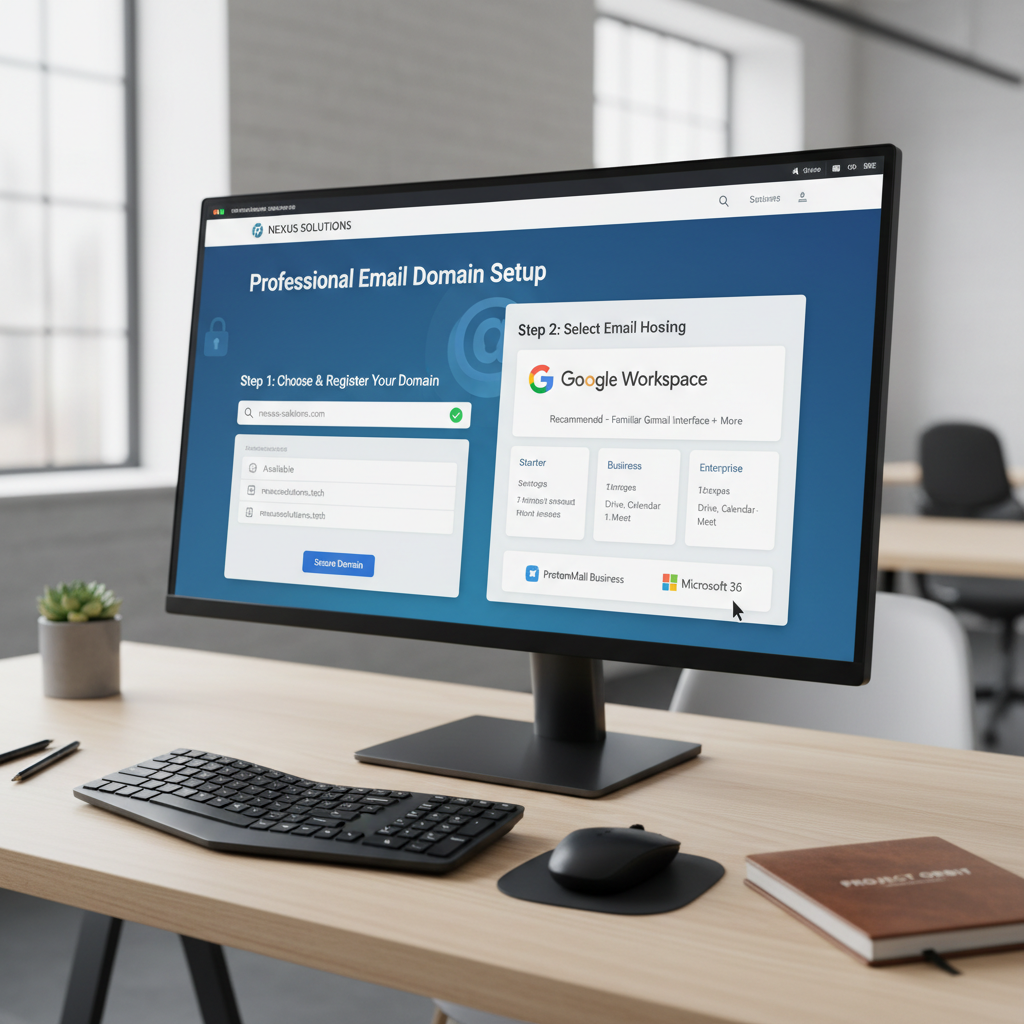
- Register Your Unique Domain: Choose a name that reflects your brand (e.g., yourbrand.com) through a registrar like GoDaddy, Namecheap, or Google Domains. Opt for a .com or industry-specific extension (like .tech or .studio) and keep it simple, short, and brand-aligned.
- Choose Your Email Hosting Provider: Use a reputable service like Google Workspace, Zoho Mail, or Proton Mail. These platforms offer enterprise-grade security, cloud accessibility, and full control over your email accounts.
- Configure Your DNS Settings (MX Records): This step directs incoming emails to your chosen provider. It involves updating your domain’s DNS records—specifically the MX (Mail Exchange) records—to point to your email host’s servers. The exact process varies by provider, but most offer guided setup tools.
- Create Email Accounts for Your Team: Once the configuration is complete, set up team-specific addresses like [email protected], [email protected], or [email protected]. You can manage multiple users, set up aliases, and control access with ease.
- Test and Deploy: Send test emails internally and externally to ensure everything works. Then update your website, business cards, social media, and marketing materials to reflect your new branded email address—ensuring a consistent, professional brand voice across all channels.
Pro tip: Always double-check MX record settings after making changes. A single typo can result in missed emails and frustrated clients.
Mastering MX Records: The Backbone of Email Deliverability
While the term “MX record” might sound technical, it’s actually a critical piece of your email infrastructure. MX records are DNS entries that tell sending servers where to deliver email for your domain. Without correct MX configuration, your emails might never reach their intended recipients—or worse, get lost in spam folders.
Understanding how MX records work is key to maintaining email reliability. They prioritize delivery routes by assigning a priority number (lower = higher priority), allowing you to set up backup servers or support multiple email providers. For example, you can assign primary MX record to Google Workspace and a secondary one to Zoho for redundancy.
For many users, especially those using popular domain registrars like GoDaddy, the process of editing MX records can seem intimidating. That’s why practical, step-by-step guidance is invaluable.
Future-Proof Your Brand: Domain Strategy for Long-Term Growth
Creating a professional email is just the beginning. To scale successfully, you must think ahead. As business needs evolve, so should your digital infrastructure.
Consider these long-term practices:
- Secure Your Domain Early: Domains are finite. A simple brand name like yourbrand.com can sell out quickly. Don’t wait—register your name and variations (like .net, .io, .app) early to prevent competitors from claiming them.
- Keep It Simple & Scalable: Avoid overly complex names. Use clear, memorable branding. This makes it easier for customers to find you, type your email, and remember your business.
- Plan for Team Expansion: When setting up your email system, ensure your hosting provider supports multiple users, shared inboxes, calendar integration, and admin controls—essential for growing teams.
- Integrate with Other Tools: A custom domain email seamlessly integrates with CRM systems, website forms, marketing platforms, and analytics tools, creating a unified digital ecosystem.
As Brian Minick advises: “Buy immediately—domains sell. Keep things simple.” In the digital economy, a strong domain presence is your first handshake with the world. Don’t leave it to chance.
Conclusion
Creating a professional email domain isn’t just about changing your @address—it’s about building a foundation for a trusted, scalable, and mobile-ready brand. From increasing credibility and improving deliverability to supporting long-term growth, a custom email is a low-cost, high-impact move that pays off across every customer touchpoint.
Ready to upgrade your brand’s image? Start today by securing your domain and setting up your email with the right tools. What’s one brand you’ve trusted simply because of their professional email address? Share your thoughts below—and start building the brand identity you deserve.